Booking a Flight
Edited
Search, compare, and book flights in just a few steps.
Steps:
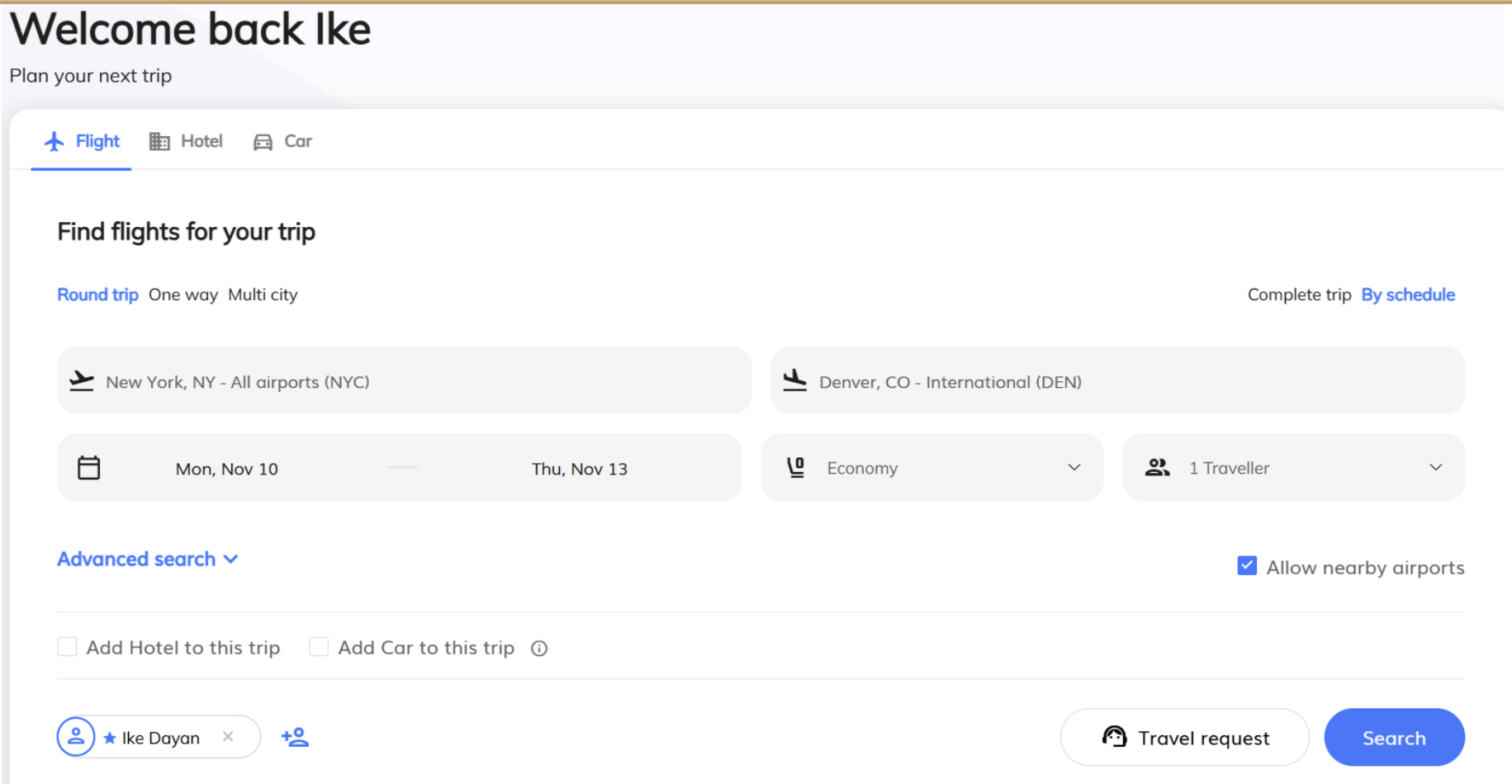
From the menu, select Book a New Trip → Flight.
Choose your trip type:
Round Trip
One Way
Multi-City
Choose your display option:
Complete trip - displays outbound and return as a group
By schedule - allows you to select the outbound and return individually
Fill in travel details:
From / To
Departure and return dates
Number of travelers
Cabin class
Click “Search”
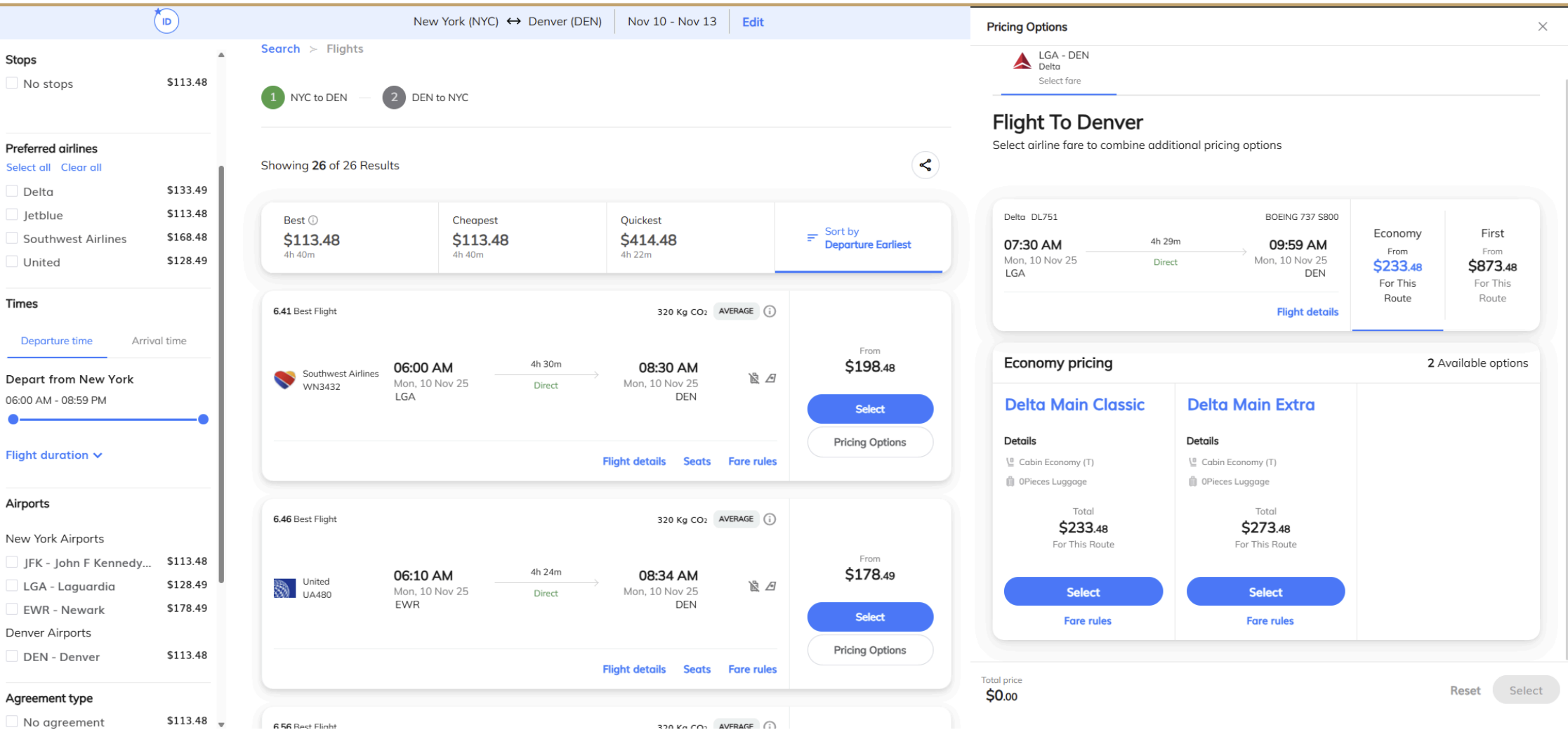
Use filters to refine by:
Price range
Preferred airlines
Stops
Nearby airports
Select your preferred flight → click Proceed to Checkout to confirm.
book
flight
new
trip
air
Was this article helpful?
Sorry about that! Care to tell us more?