Managing Passports, Visas, and TSA Info
Edited
Ensure your travel documents are current for smooth international travel.
To manage:
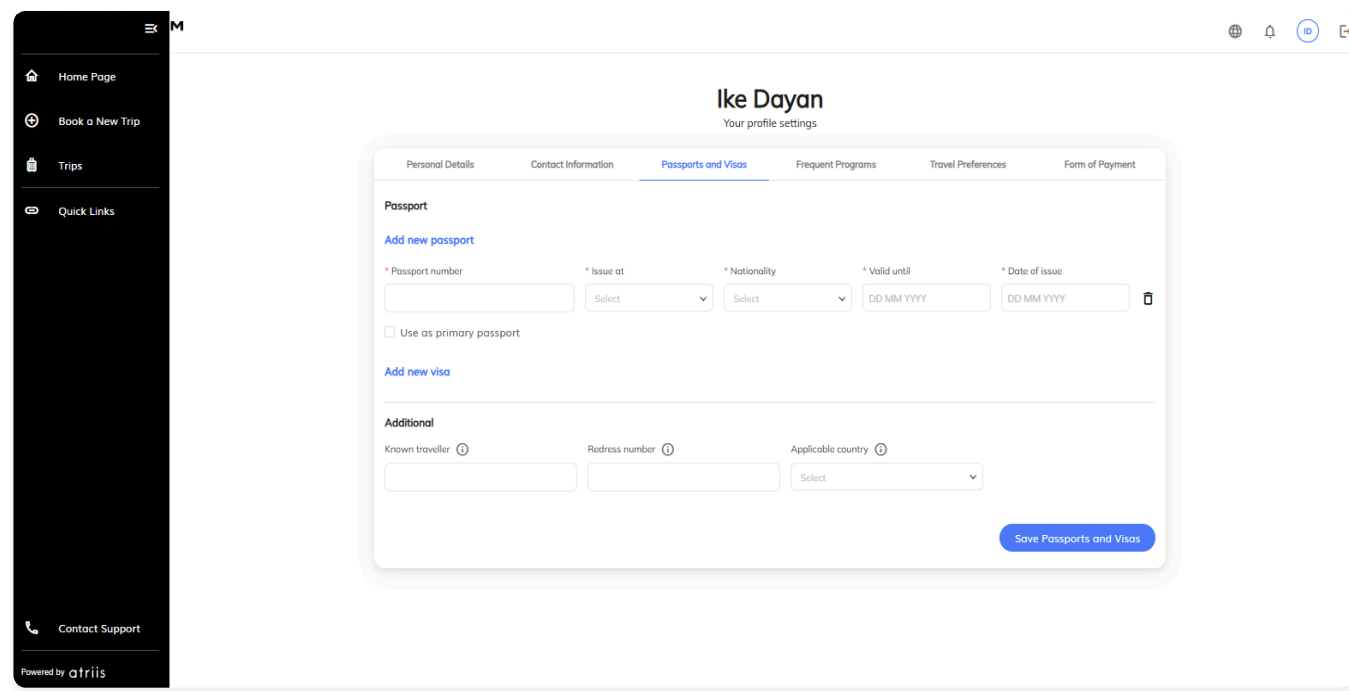
Go to Profile Settings → Passports & Visas.
Click Add new passport and fill in:
Passport number
Country of issuance
Expiry and issue dates
Nationality
Click Add new visa and enter visa details.
Enter your Known Traveler Number to ensure you have TSA PreCheck access.
Save your updates.
Note: The system alerts you when documents are nearing expiration.
tsa
precheck
ktn
visa
passport
Was this article helpful?
Sorry about that! Care to tell us more?