Booking Transfers
Book airport transfers & private cars directly through the portal.
Steps:
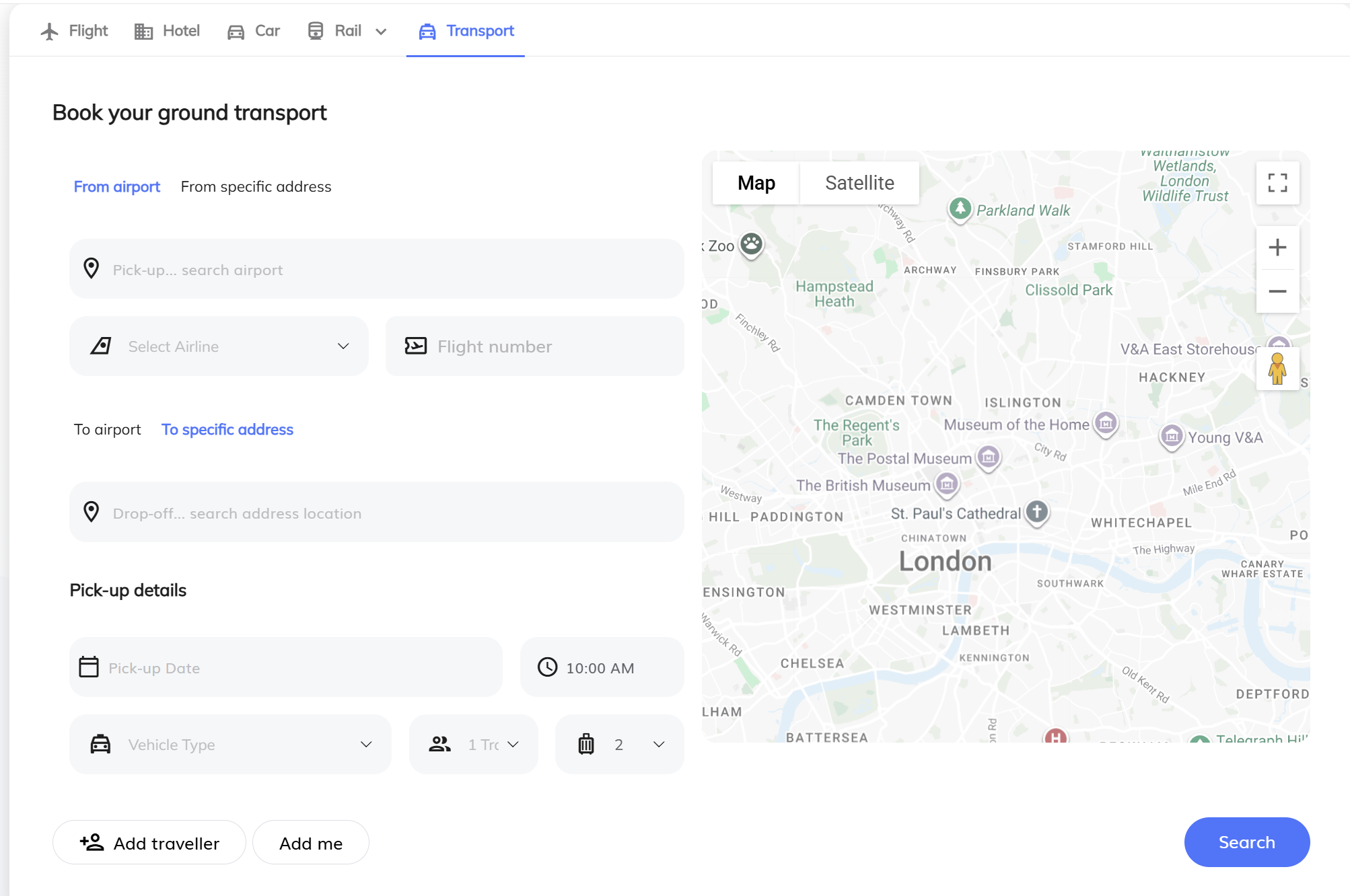
Go to Book a New Trip and click the ... (ellipsis) icon next to the Air, Hotel, and Car options.
Select Ground Transport.
Enter the Pickup and Drop-off locations.
Enter the date, time, and number of passengers & luggage.
If your trip already includes a flight or hotel, some information may be pre-populated automatically.
For airport pickups, enter the associated flight information so the driver can monitor flight changes.
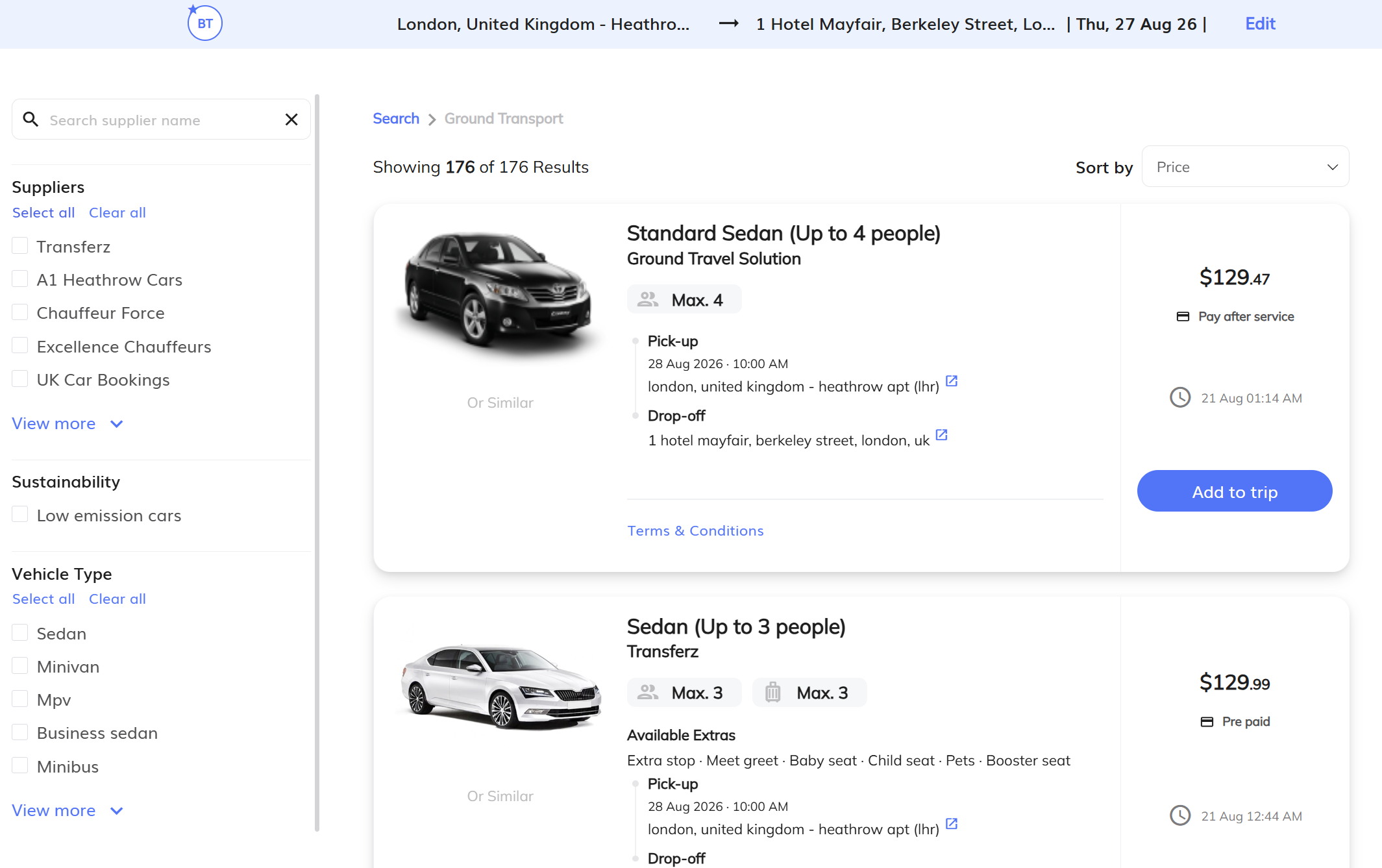
Click Search to view available transportation options.
Filter and sort through options by vehicle type, price, or supplier.
Select your preferred option and click Add to Trip.
Review the details in your Trip Cart and verify all information is correct.
Enter the required payment and contact information, review the Terms & Conditions, and complete the booking.
Important: All ground transportation bookings are prepaid at the time of booking.
Tip: Ground transportation can also be added from the Trip Cart when the option is available. Always verify the pickup location, date, time, and flight information before completing the booking.